If you just set up a new iPhone, start with a small mix of games that use the phone well instead of downloading forty titles you may never open. The right first install depends more on your session length, preferred controls, payment model and appetite for competitive play than on a universal ranking. This list gives you ten strong starting points and shows the trade-off that makes each one worth choosing.
The ten picks below cover quick card runs, puzzle play, farming, roguelites, deckbuilding, sandbox creativity and online competition. Prices, subscriptions, in-app purchases, compatibility and regional availability can change, so treat the App Store listing on your own device as the final check before installing. If a game sounds right but its current requirements do not fit your phone, skip it rather than forcing the download.
Quick answer: which iPhone game should you install first?
Choose by the way you actually play. Balatro and Pokémon TCG Pocket suit short card-focused sessions, Monument Valley 3 is an easy puzzle recommendation, Stardew Valley and Minecraft reward longer attention, while Brawl Stars and Delta Force make more sense when online competition is the point.
| If you want… | Start with | Why it fits | Main trade-off |
|---|---|---|---|
| A quick strategic run | Balatro | Touch-friendly card decisions with high replay value | Premium purchase unless you use its catalog edition |
| A calm visual puzzle | Monument Valley 3 | Short, focused perspective puzzles | Free to start, with a full-game unlock |
| A long relaxing game | Stardew Valley | Long-term farming, exploration and progression | Better when you can settle in for longer sessions |
| Fast survival action | Vampire Survivors | Simple movement, escalating builds and repeatable runs | The screen can become intentionally chaotic |
| Precise action combat | Dead Cells | Demanding combat with strong run-to-run learning | A controller can feel better for long sessions |
| Deep deckbuilding | Slay the Spire | Every card choice changes the run | Less immediate if you want reflex action |
| Creative sandbox play | Minecraft | Build, explore and play solo or with friends | Long sessions can be easier with a controller |
| Short online matches | Brawl Stars | Mobile-first competitive matches built for quick play | Online progression and in-app purchases are part of the experience |
| Card collecting and battles | Pokémon TCG Pocket | Easy collection loop and quick battles | Includes in-app purchases and random-item purchases |
| A large competitive shooter | Delta Force | Extraction and large-scale shooter modes | Heavier download, performance and network demands |
New-phone game fit
First Install Studio
Match your real play time, controls and payment preference to three games worth trying first.
Tell us how you actually play
This is a preference match, not a universal ranking. Choose the answers that describe a normal week, then compare the trade-offs before you install.
Your match
Three games to check first
Results are based only on the preferences above. Availability, prices and requirements can change by region.
1. Balatro – the easiest premium game to recommend for short strategic sessions
Balatro works unusually well on a phone because the core interaction is choosing, arranging and modifying cards rather than fighting a virtual joystick. Runs can become deep, but the moment-to-moment decisions remain readable on a small screen, and the mobile edition is designed around touch input. The current App Store listing also notes controller support, so you are not locked into one control method.
The trade-off is simple: this is a game about repeated runs and card synergies, not a story campaign or reflex-heavy spectacle. If you like discovering combinations and improving through better decisions, it can stay installed for a very long time. If you mainly want real-time multiplayer or cinematic action, another game on this list will fit better.
2. Monument Valley 3 – for puzzle play that feels made for a touchscreen
Monument Valley 3 turns swipes and taps into architectural puzzles, which makes the phone feel like part of the game rather than a small substitute for a console. Its perspective tricks are easy to read, and the free-to-start structure lets you test the opening chapters before deciding whether to unlock the rest. The current listing requires iOS 16 or later, so older devices need a compatibility check first.
This is the pick for people who want visual design, calm pacing and a clear sense of progress without managing a complex economy. It is not the longest game here, and that is part of its appeal: you can finish meaningful chunks without committing to a daily grind. Choose it when you want a polished puzzle experience instead of an endless progression system.
3. Stardew Valley – for long sessions and slow-burn progress
Stardew Valley is the opposite of a disposable phone game: it gives you a persistent farm, relationships, exploration, crafting and a long progression arc. The iPhone version includes mobile-specific controls and auto-save features, which makes it easier to dip in and out than the size of the game might suggest. It works best when you enjoy returning to the same world for weeks rather than chasing a five-minute distraction.
The main decision is whether you actually want that kind of commitment. If you only play in queues or between meetings, the opening routine can feel slower than a run-based game. If you want your phone to carry a full, comforting RPG that can absorb a long flight or quiet evening, Stardew Valley is a better use of storage than downloading several shallow alternatives.
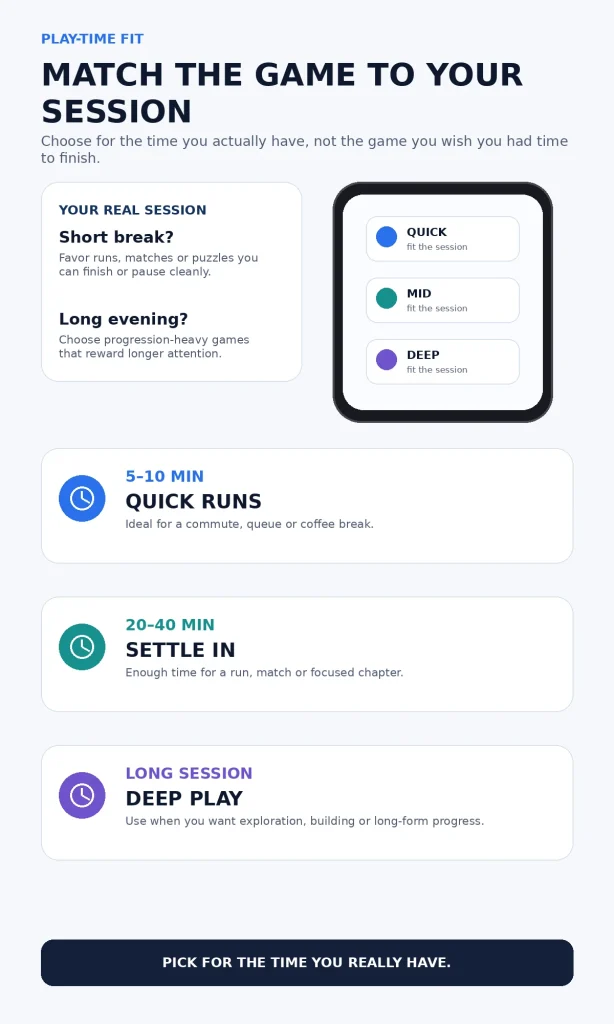
Match the game to the time you really have
A common download mistake is choosing a game for its reputation instead of your real play window. A ten-minute commute rewards clean runs, puzzles or matches; a forty-minute break gives you room for tactical progression; a long evening makes sandbox and farming games far easier to appreciate. The session-fit image below turns that into a quick decision you can reuse before installing anything else.
4. Vampire Survivors – for immediate action with very little control friction
Vampire Survivors strips movement down so the interesting decisions happen in the build: what weapon to add, what upgrade to prioritize and how to survive as the screen fills with enemies. That makes it easy to start on touch controls, while the escalating run structure gives you something new to solve each time. The regular version is free with in-app purchases, and a catalog edition is also available through Apple Arcade in supported regions.
The visual chaos is deliberate, so this is not the game to choose when you want a clean, slow interface. It is better for players who enjoy snowballing power, rapid restarts and experimenting with combinations. If that loop appeals to you, our guide to roguelike games that are fun to play gives you another route into the genre.
5. Dead Cells – when you want skill-based combat on a phone
Dead Cells is more demanding than Vampire Survivors because dodging, positioning and attack timing matter constantly. The combat rewards learning enemy patterns, and the run structure means failure is part of the progression rather than a reason to quit. It is a strong choice when you want a real action game in your pocket and are willing to give the controls your full attention.
Touch works, but this is one of the games where a controller can change the feel of a long session. If you already own a compatible Bluetooth or wired controller, Apple lets you connect and customize supported game controllers in iPhone settings. That makes Dead Cells a useful test of whether your new phone will be a casual gaming device or a small portable console for you.
6. Slay the Spire – for players who want decisions to matter more than reflexes
Slay the Spire is a deckbuilder where every card added to your deck changes later battles, so the challenge is planning rather than tapping faster. Each climb rearranges encounters, rewards and risks, which keeps the same basic controls from feeling repetitive. It is easy to understand in short bursts but deep enough to support much longer sessions once you start learning how cards and relics interact.
This is also a good counterweight to large free-to-play games because the premium version has a clear purchase model, while an Apple Arcade edition is available for subscribers. You still need to decide whether deckbuilding is a genre you enjoy; if card optimization feels like homework, Balatro may be the friendlier starting point. If you enjoy building a strategy one choice at a time, Slay the Spire can become the most absorbing game on the phone.
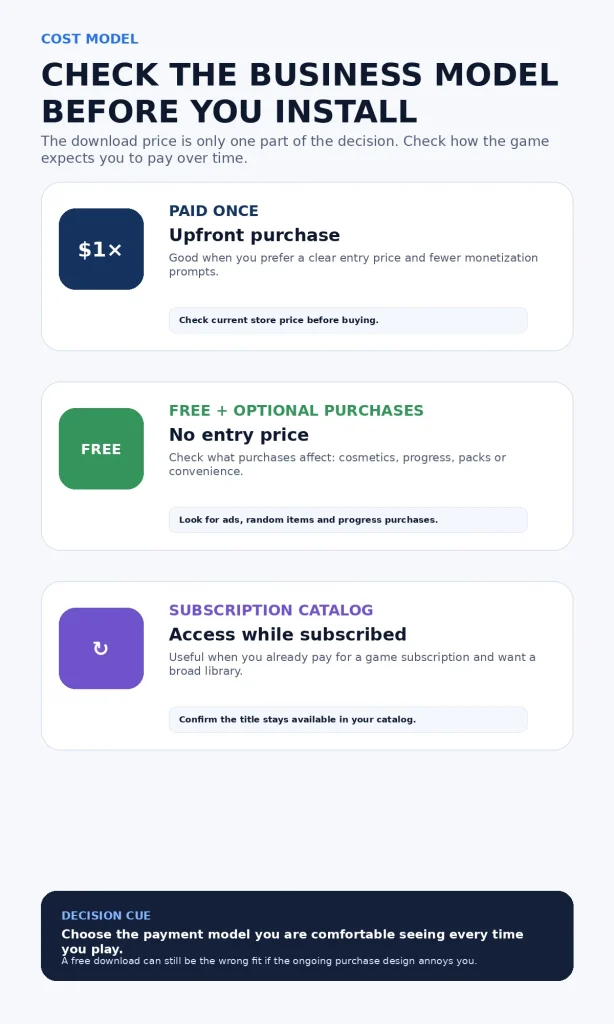
Check the payment model, not just the download button
“Free,” “paid” and “included with a subscription” describe different relationships with a game, and none is automatically better. A one-time purchase can be easier to budget, free-to-play can be ideal when the purchases stay optional for you, and a subscription catalog can be excellent value when you already use it. Check the current listing before you install so the business model does not become the surprise after you are invested.
7. Minecraft – the safest choice for creativity and shared worlds
Minecraft earns its place because it can become almost anything you want: a survival game, building space, exploration game or shared world with friends. The mobile version supports touch and controllers, and Bedrock multiplayer lets the experience extend well beyond a single phone. If you are installing games for a child or family, check the multiplayer and purchase settings you want before handing over the device.
The only real weakness is that the game can outgrow the “quick phone game” role very quickly. Building and survival sessions often last longer, and a controller can make extended play more comfortable. If Minecraft is the one you keep returning to, our Minecraft review gives you more context on the game itself.
8. Brawl Stars – for short competitive matches with friends
Brawl Stars is built around fast online matches rather than long single-player sessions, and its App Store description specifically emphasizes mobile-first PvP modes that can finish in a few minutes. That makes it a strong choice when you want a game you can launch, compete and close without losing your place in a campaign. It is also easy to understand why it stays popular: the basic action starts quickly, while characters and modes add depth later.
The trade-off is that online progression, seasonal content and in-app purchases are part of the package. If you dislike live-service structures, a premium game such as Balatro or Slay the Spire will probably feel cleaner. If you want something social instead, you may also like our roundup of video games for couples for more shared-play ideas.
9. Pokémon TCG Pocket – for collecting first, battling second
Pokémon TCG Pocket is designed around opening packs, building a collection and playing streamlined card battles on a phone. The current App Store listing clearly labels in-app purchases and random-item purchases, so that information should be part of your decision before you start collecting. For the right player, the daily collection rhythm is the attraction rather than a problem.
Choose it if you enjoy completing sets, comparing cards and fitting quick battles around other tasks. Skip it if randomized collection systems tempt you to spend more than you intended or if you want a complete premium game with a fixed entry cost. The game is easy to download, but your comfort with the purchase model matters more than the install button.
10. Delta Force – when you want your new iPhone to feel like a gaming device
Delta Force is the most demanding recommendation here because it aims for a large competitive shooter experience rather than a lightweight mobile diversion. The current listing includes extraction-focused and larger-scale combat modes, and the app itself is already substantial before ongoing content and updates are considered. It makes the most sense on a phone with comfortable storage, a stable network connection and enough performance headroom for long sessions.
This is the game to install when you specifically want to see what a modern iPhone can do with a more ambitious shooter. It is a poor first choice if you are short on storage, frequently play without a reliable connection or dislike competitive online systems. Think of it as a performance-and-commitment choice, not an automatic “best graphics” recommendation.
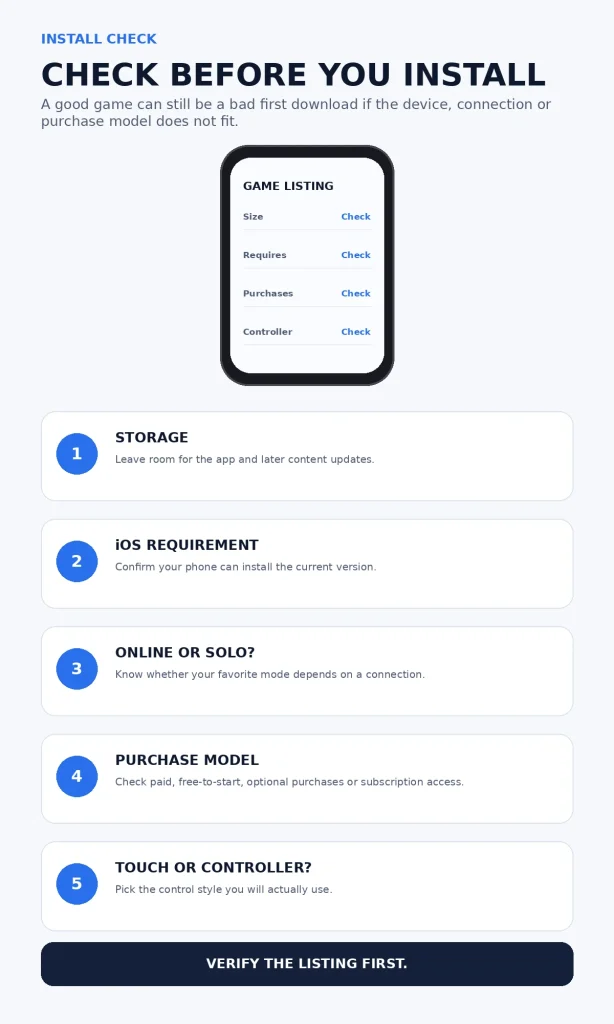
Before you install a large game, check these five things
Most failed game downloads are predictable before the progress bar starts. Storage, minimum iOS version, online requirements, purchase design and control support can all change whether a game feels good on your particular phone. A thirty-second check of the listing can save a much longer download, account setup or refund decision.
Three iPhone gaming settings worth checking
- Let Game Mode do its job on supported games. Apple says Game Mode on iPhone with iOS 18 or later prioritizes CPU and GPU access for the game and increases Bluetooth sampling for compatible wireless accessories. You can read the current behavior in Apple’s Game Mode guidance.
- Pair a controller only when the game benefits from it. iPhone supports compatible Bluetooth and wired controllers, and supported controllers can be customized under Settings > General > Game Controller. Apple’s controller setup guide explains the current options.
- Keep spare storage for updates. The App Store download size is not the whole storage story for games that add content after launch, so avoid filling the phone to the edge just because a title technically fits today.
Which of these ten should stay installed?
You do not need ten permanent games. Keep one quick-session game, one deeper game and one social or creative game that covers a different mood; delete anything you keep scrolling past. A smaller library makes it easier to notice what you genuinely enjoy instead of treating your new phone like an app-collection project.
FAQ
What is the best iPhone game for short sessions?
Balatro, Brawl Stars, Pokémon TCG Pocket and Vampire Survivors all suit shorter sessions for different reasons. Pick Balatro for strategy, Brawl Stars for competitive matches, Pokémon TCG Pocket for collecting and quick battles, or Vampire Survivors for action-focused runs.
Do these games work on every iPhone?
No. Each game sets its own minimum iOS version and hardware requirements, and those can change with updates. Open the current App Store listing on your phone before downloading, especially for newer or more demanding games.
Do I need a controller to play iPhone games?
No. Every game on this list can be approached as a phone game, but action titles such as Dead Cells and large shooters can feel more comfortable with a controller during long sessions. Check each game’s current controller-support listing before buying accessories for one specific title.
Are paid iPhone games better than free games?
Not automatically. Paid games can offer a clearer purchase relationship, while free-to-play games can be excellent when their monetization fits your preferences. The useful question is whether the game’s payment model stays comfortable after you have invested time in it.
Should I subscribe to Apple Arcade just for iPhone games?
Subscribe because several games in the catalog fit your habits, not because one title looks interesting for a weekend. Compare the current catalog with the premium games you would otherwise buy, then decide whether you value ongoing access to a rotating library more than permanent ownership of individual purchases.
Bottom line
A new iPhone does not need a giant game library; it needs a few games that match the way you actually use the device. Start with one title that fits your normal session length, one that shows off a different kind of play, and one social or creative option if you will use it. The best first download is the one you will still open after the novelty of the new phone wears off.