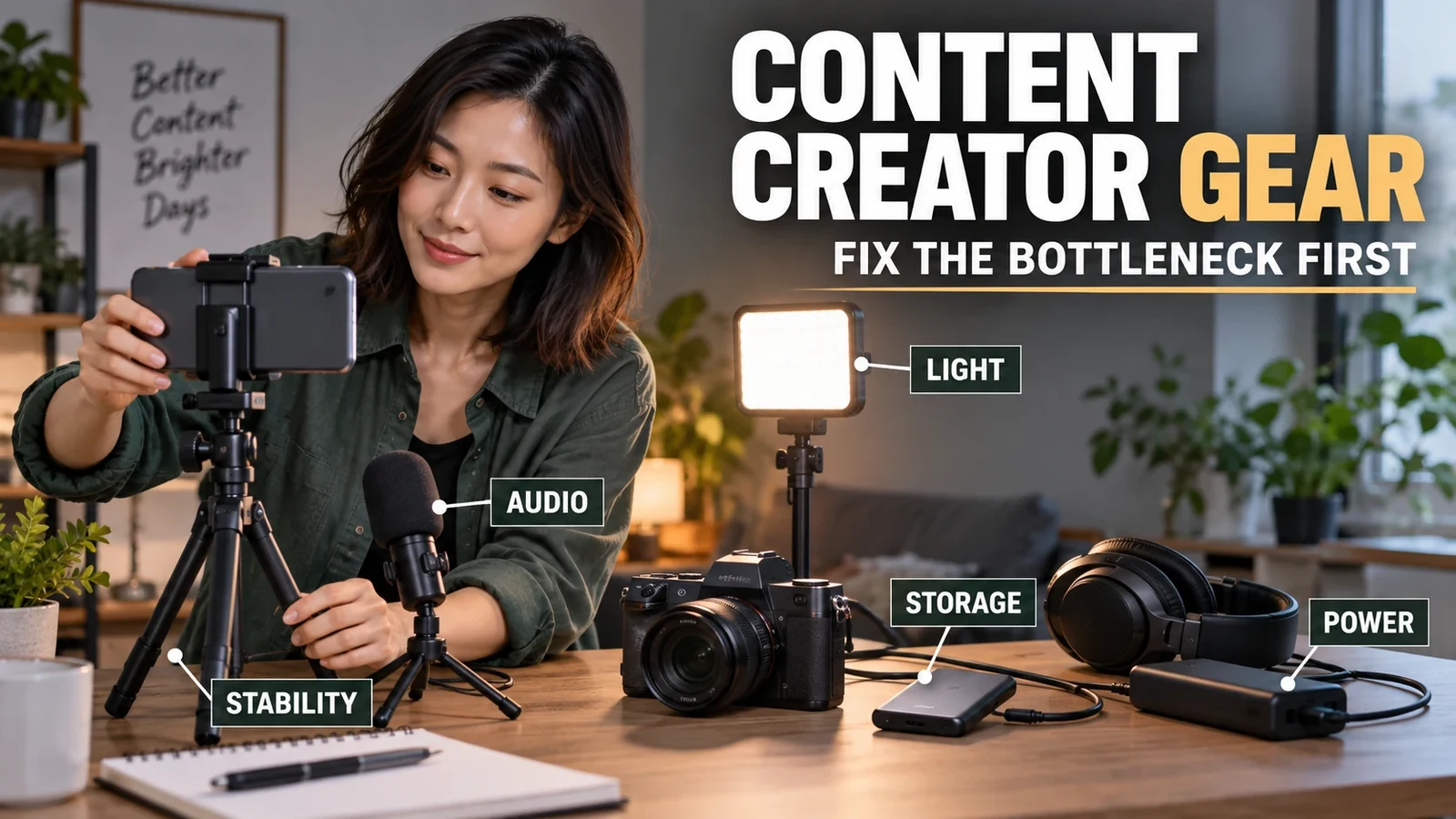

The best gadget for a content creator is not automatically a better camera; it is the device that removes the biggest limit in the way you already shoot, record, edit, or publish. If your phone already looks good in decent light, cleaner audio, more consistent lighting, steadier support, faster storage, or reliable power can improve the finished content more than replacing the camera.
| What you notice | Upgrade first | Why it usually matters more |
|---|---|---|
| Voice sounds distant, hollow, noisy, or inconsistent | Microphone placement and audio | A clearer direct voice signal can improve perceived production quality even when the camera stays the same. |
| Indoor footage looks grainy, flat, or changes from shot to shot | Lighting | Better light gives the existing camera more usable signal and makes the look repeatable. |
| Framing drifts or solo filming is awkward | Tripod, clamp, arm, or stabilizer | Repeatable support fixes composition and reduces retakes. |
| Projects stall during offload, editing, or backup | Storage and transfer path | A faster, safer file routine protects work and shortens the time between capture and edit. |
| The current device cannot achieve a required shot | Camera or lens | A capture upgrade makes sense when a real technical requirement cannot be solved by light, sound, support, or technique. |
The first upgrade should fix the weak link
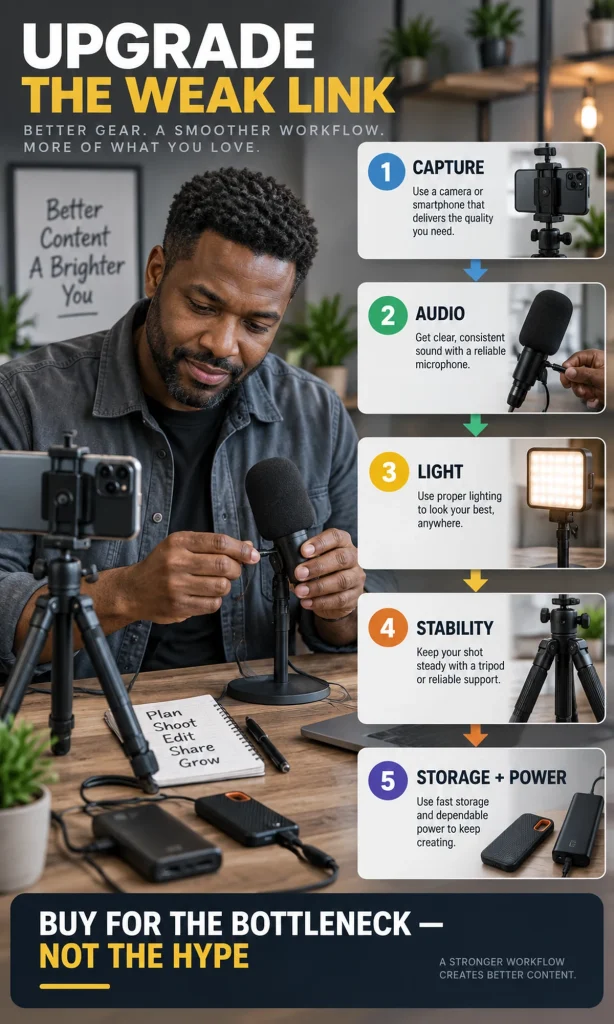
A creator setup is a chain: capture, sound, light, support, storage, power, editing, and publishing. One expensive component cannot compensate for a weak link elsewhere, so the useful question is not “What gadget is best?” but “What part of my process is visibly or audibly failing?”
Start by reviewing your last three pieces of content and name the failure that caused the most retakes, cleanup, delay, or compromise. If the same problem appears repeatedly, it has earned the right to become an upgrade priority.
This approach also protects you from buying around imagined future needs. A lightweight phone setup that is quick to deploy can be more productive than a larger camera rig if the larger system adds setup time without solving the actual problem.
YouTube’s video-equipment guidance explicitly notes that creators can start with a mobile device and upgrade later according to their production goals. That is a useful baseline: keep the equipment that already clears the quality bar, then spend where the workflow is still weak.
Look at the whole production path before you replace the capture device. If your current setup loses time to unstable framing, dead batteries, full storage, noisy rooms, or inconsistent lighting, those problems will follow you to a more expensive camera.
The same rule applies to novelty gear. Explore innovative tech and gadgets for ideas, but treat a new device as useful only when it shortens a real step, improves a measurable weak point, or enables a shot you could not otherwise make.
Audio is often the highest-impact upgrade for spoken content
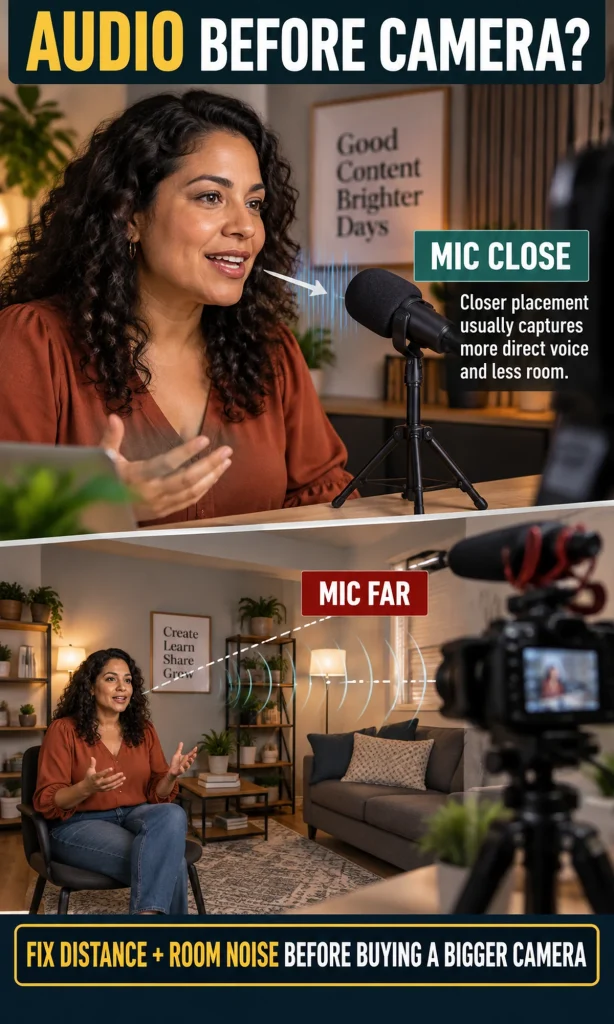
If your content depends on a person speaking, the microphone is only part of the audio system. Distance, room reflections, background noise, mounting, input gain, monitoring, and the connection path can matter as much as the microphone model.
Microphone distance is especially important. Shure’s explanation of critical distance describes how reflected room sound becomes more significant as a microphone moves away from the talker, which is why getting a suitable mic closer can solve problems that a more expensive camera never will.
YouTube’s creator guidance makes a similar practical point: good sound is treated as essential, and external microphone choice should match how far the creator is from the camera. A lavalier suits a moving presenter, a directional mic can work for a controlled shot, and a desk microphone can be effective when the speaker stays close to it.
Lighting can make an existing camera look like a better camera
Before buying a new body or phone, test the current camera with deliberate light. A large soft source near the subject, a bright window at a usable angle, or a controlled key-and-fill arrangement can reduce noise, improve skin tone, separate the subject from the background, and make exposure more consistent from one session to the next.
The most useful lighting gadget is the one you can place reliably in your actual space. A compact LED panel may be better for a small desk, while a larger soft source is usually easier to make flattering for a seated talking-head shot; product creators may need separate control over the subject and background rather than a single ring light.
Do not buy brightness alone. Check physical size, diffusion, stand stability, available room depth, power method, heat, and whether you can repeat the same position next week without rebuilding the studio from scratch.
Support is a production gadget, not just a camera accessory
A stable support system saves more than shaky footage. It fixes camera height, protects composition, enables repeatable focus and exposure, and gives a solo creator a known frame to return to after every take.
Choose the support by movement pattern. A locked talking-head shot needs a stable tripod or desk mount, overhead demonstrations need an arm that safely carries the load, and a gimbal earns its place only when moving footage is central to the content rather than because motion stabilization looks impressive in a product listing.
Storage and power keep the workflow moving
High-resolution video turns storage into production infrastructure. The useful system has enough capacity for active projects, enough sustained speed for the way you record or edit, and a separate backup so the only copy of an important shoot is not sitting on the capture device.
YouTube’s filming checklist recommends charging devices and carrying backups for important production items such as batteries, memory cards, and hard drives. That advice matters because a technically excellent camera is still a poor working system if a dead battery or full card ends the session.
Power is similar. A creator who works at a desk may benefit from one dependable charging hub or AC-powered setup, while a mobile creator may need spare camera batteries or a power bank that supports the required output profile. Standardizing around fewer cable types can reduce setup mistakes and bag clutter.
- For a phone-first creator: prioritize a stable mount, an appropriate mic, compact light, dependable power, and a simple offload routine before replacing the phone.
- For a home-studio creator: prioritize microphone placement, room noise, repeatable soft light, and fixed support before adding more camera bodies.
- For a mobile creator: prioritize portability, fast deployment, wind-resistant audio, battery runtime, and storage redundancy.
- For a podcast or livestream: prioritize clean audio, monitoring, and routing reliability before adding decorative accessories.
- For product demonstrations: prioritize overhead or close-up support, controlled light, focus reliability, and enough working distance for hands and products.
Do not confuse a connector with full compatibility
A USB-C plug does not tell you everything a port, cable, charger, or drive can do. Data rate, display support, charging behavior, and available power depend on the actual implementation, so a gadget can physically connect and still fail to deliver the speed or power your workflow expects.
The USB Implementers Forum’s USB4 guidance is a good reminder that modern USB-C systems can carry multiple data and display protocols and negotiate different capabilities. For creators, the practical rule is simpler: verify the port, cable, device, and power source as one chain rather than assuming that matching connector shapes guarantee matching performance.
Mounting compatibility deserves the same attention. Confirm thread size, shoe type, clamp range, load capacity, cable clearance, phone case clearance, and whether a light, microphone, or monitor blocks another accessory when the rig is assembled.
When a dedicated camera is actually the right upgrade
A new camera becomes a rational first purchase when the current capture device blocks a specific result. Examples include needing a particular focal length, reliable continuous autofocus for your movement, better low-light performance in unavoidable conditions, longer recording behavior, a clean video output for live production, higher-quality audio inputs, or a lens system that supports the work you intend to keep doing.
The decision should be tied to a shot you cannot make, not to the feeling that “serious creators use real cameras.” A phone with good light and close audio may already exceed what a casual social workflow requires, while a product filmmaker or multi-camera streamer may genuinely need dedicated capture hardware.
If you do upgrade the camera, budget for the system around it. Lenses, media, batteries, chargers, cages, tripods, capture devices, microphones, storage, and editing performance can determine whether the new camera is productive or merely expensive.
Best gadget categories by creator type
| Creator workflow | High-value first gadgets | Usually later | Main buying check |
|---|---|---|---|
| Talking-head / educational | Close mic, soft key light, stable tripod | New camera body | Can you repeat the same sound and light every session? |
| Short-form mobile | Phone support, mobile mic, compact power | Large studio rig | Can you deploy the setup fast enough to use it? |
| Podcast / voice | Mic, stand, wired monitoring, interface when needed | Lighting and camera unless video is core | Does the audio path stay clean and simple? |
| Product / craft demo | Overhead support, soft light, close-focus capture | Gimbal | Can the rig hold position safely without blocking your hands? |
| Livestream | Mic, light, reliable ingest/routing | Extra cameras before the first feed is reliable | Does every device stay stable for the full session? |
| Travel / field | Compact audio, support, batteries, storage | Heavy studio accessories | Will you actually carry and deploy it? |
Build your creator setup in order
The most useful buying order is the one that follows your bottleneck. Start with the failure that appears most often, verify compatibility with the devices you already own, then make one change and compare the result before adding the next piece of gear.
Creator Setup Reality Check
Match your format, bottleneck and current setup to the gear category worth fixing first.
Build around the weak link
Choose what you make and what currently slows you down. The result ranks gear categories by workflow impact rather than by price or novelty.
Fix this first
Before you spend anything
Compatibility check
This experience prioritizes workflow needs; it does not claim that a particular brand or price guarantees better content.
Budget does not have to mean disposable quality. If your weak link can be solved with a small accessory, compare that focused purchase before rebuilding the entire setup; our guide to cool tech under $50 can also help you think in terms of small workflow improvements rather than one large upgrade.
Monitoring, headphones, and the gadgets around the main rig
Monitoring is easy to overlook because it does not appear in the final image. During recording, though, headphones can reveal clipping, hum, clothing noise, connection failures, and room sound before an unusable take reaches the edit.
For latency-sensitive recording, wired monitoring is usually the safer default because the signal path is predictable. Wireless listening can still be convenient for editing, review, commuting, and general creator work; if that fits your routine, compare features in our guide to wireless earbuds for every budget.
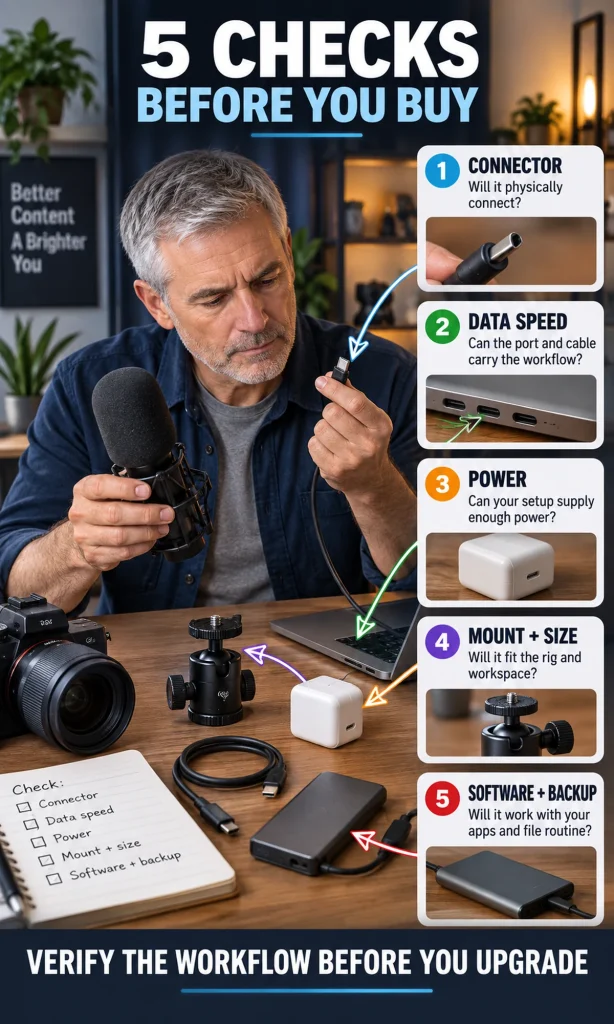
Five checks before buying any creator gadget
Run the same compatibility check every time, even for inexpensive accessories. A gadget that looks perfect in isolation can create a slower workflow once it needs another adapter, a different charger, a heavier stand, a driver, or a new storage format.
- Connector: Will it physically connect to the device you use now, including case and port clearance?
- Data capability: Can the port and cable carry the recording, transfer, display, or capture load you expect?
- Power: Does the charger, battery, or USB power source supply what the device requires for the full session?
- Mount and size: Will it fit your rig, desk, bag, tripod, clamp, or working distance without blocking something else?
- Software and backup: Does it work with your operating system and apps, and do you know where the files will go after capture?
If one of those answers is unclear, the product is not ready to buy yet. Verify that point first; compatibility mistakes are often more expensive than choosing a slightly less ambitious gadget that fits the existing system cleanly.
FAQ
What gadget should a beginner content creator buy first?
Buy the gadget that fixes the most obvious recurring problem in your current workflow. For spoken video that is often audio or lighting; for mobile work it may be support, power, or storage. A new camera should move to the front only when the current capture device cannot make a shot you genuinely need.
Is a phone enough for professional-looking content?
A modern phone can be enough for many talking-head, short-form, travel, and social workflows when light, sound, framing, and exposure are controlled. Move to a dedicated camera when you need a specific lens, low-light capability, recording behavior, autofocus performance, input, or output that the phone cannot provide.
Should I buy a microphone or a camera first?
If speech is central and the current picture is already usable, fix microphone placement and room noise first. If the current camera cannot produce a required frame, lens perspective, long-form recording mode, or live output, then the camera can become the higher-priority purchase.
Do content creators need a gimbal?
Only if moving shots are a meaningful part of the content. A tripod, clamp, mini stand, or overhead arm is usually simpler for locked shots, desk videos, product demonstrations, and many solo workflows.
How do I avoid buying creator gear that does not work together?
Verify five things before buying: connector, data capability, power requirement, mounting and physical size, and software or file compatibility. Test the complete signal path on paper before you add the item to the rig.
A better setup is the one you can repeat
The most valuable creator gadgets reduce uncertainty: the mic lands in the right place, the light produces the same look, the camera stays framed, the battery lasts, the files move safely, and the setup is fast enough to use every time. Build that repeatability first, then upgrade image-making hardware when a real creative or technical requirement demands it.